How to Charge Your Nodiee White Noise Machine

Learn how to charge your rechargeable white noise machine correctly, including charging times, compatible cables, battery care and troubleshooting for the Nodiee Sleep Assist Smart PRO, Smart Sunrise Alarm and Sleep Assist On-The-Go.


Using the correct USB-C cable and wall adapter can help protect the battery, reduce the risk of overheating and keep your sound machine ready when your family needs it.


These charging instructions apply to Nodiee white noise and sound machines. Always follow the manufacturer’s instructions when charging another brand or model.
How to Charge a Rechargeable White Noise Machine

Use the Nodiee Cable

Only use the Nodiee USB-C charging cable supplied with your machine. Other cables may damage the charging port or lithium-ion battery and may void your warranty.
Use a 5V = 1A (5W) Adapter

Connect the cable to a certified wall adapter with an output of 5V, 1A (5W). In Australia, look for the Regulatory Compliance Mark (RCM).
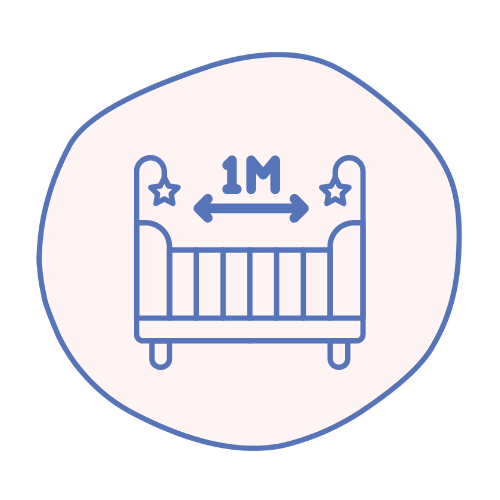
Keep 1 Metre from the Cot

Always charge your white noise machine at least 1 metre away from your child’s cot, bassinet or sleeping area. Keep the machine and charging cable safely out of reach.
Place on a Flat Surface

Place the machine on a stable, hard surface with clear airflow. Do not charge it on a bed, couch or under fabric where heat can build up.

Charging Times & Battery Care

Charging and usage times are approximate and may vary depending on the volume, light brightness and features used.

Smart PRO

  • Full charge: 4–5 hours
  • Usage time: Up to 10 hours
  • Purple light: Charging
  • Green light: Fully charged
  • Red light: Low battery

Sunrise Alarm

  • Full charge: 4–5 hours
  • Usage time: Up to 10 hours
  • Battery level: Visible in the app
  • Green light: Fully charged

On-The-Go

  • Full charge: Approximately 3 hours
  • Usage time: Up to 30 hours
  • Red light: Charging
  • Green light: Fully charged

White Noise Machine Battery Care Tips

Follow these simple steps to help care for your rechargeable white noise machine:

  • Unplug the machine once it is fully charged
  • Do not leave it charging unattended
  • Do not keep it continuously plugged in for extended periods
  • Avoid high-powered and fast-charging adapters
  • Insert the USB-C cable gently to protect the charging port
  • Keep the machine away from heat, moisture and direct sunlight
  • Do not cover the machine while it is charging or in use
  • Switch the machine fully off when it is not being used

Why Is My White Noise Machine Not Charging?

If your Nodiee white noise machine is plugged in but not charging, try these steps:

  1. Make sure the power switch is completely in the ON position on the Smart PRO or Smart Sunrise Alarm.
  2. Confirm you are using the Nodiee USB-C cable supplied with your machine.
  3. Check that the wall adapter output is 5V, 1A (5W).
  4. Do not use a high-powered laptop charger or fast-charging adapter.
  5. Make sure the USB-C cable is inserted securely and gently.
  6. Check that the wall outlet has power or try another outlet.
  7. Allow the machine to charge for the specified charging time.

If your white noise machine is still not charging, contact our customer support team at info@nodiee.com

When to Replace Your Cable

Over time, charging cables naturally wear down. Replace your cable if you notice:

  • Fraying, bending, or exposed wires
  • Loose or wobbly connector ends
  • The cable feels very hot to touch
  • You are still using the original cable from before May 2024

We have introduced a stronger, more durable cable with reinforced connectors and added safety features. If eligible, you can claim a complimentary upgrade today.